

Security features during online transactions Key Takeaways
As digital payment volumes surge past $9 trillion globally, understanding the security features during online transactions is no longer optional for businesses or consumers.
- The most critical security features during online transactions include end-to-end encryption, tokenization, and multi-factor authentication working in tandem
- Fraud losses from online payments exceeded $41 billion in 2022, making proactive security awareness a financial necessity for both merchants and shoppers
- Understanding how to spot red flags like unsecured connections or suspicious payment gateways can prevent 90% of common online fraud attempts
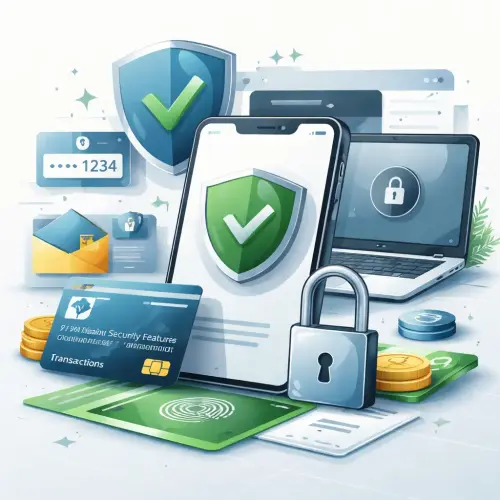
Why Security Features During Online Transactions Matter More Than Ever
The explosion of e-commerce has created unprecedented convenience, but it has also handed fraudsters a global playground. With data breaches exposing millions of payment records annually, the difference between a safe transaction and a compromised one often comes down to the payment security features each platform deploys. Whether you run an online store or simply shop online, understanding these safeguards helps you make informed decisions that protect your financial data from interception, theft, or misuse. For a related guide, see 6 Proven Ways Digital Wallets Make Casino Deposits Safe and Easy.
1. End-to-End Encryption: The First Line of Defense
Encryption scrambles your payment data into an unreadable code that only authorized systems can decode. Modern payment gateways use 256-bit AES encryption, the same standard adopted by governments and financial institutions worldwide. When a website displays a padlock icon and “https://” in the address bar, it indicates active SSL/TLS encryption between your browser and the server. Online transaction security begins with this fundamental layer, as it prevents hackers from intercepting credit card numbers or login credentials during transmission.
How to Verify Encryption Instantly
Before entering payment information, always check for the padlock symbol in your browser’s address bar. Click on it to view the site’s security certificate details, which should match the business name and domain. Any browser warning about an insecure connection should immediately stop your transaction.
2. Tokenization: Your Card Number Never Travels
Tokenization replaces sensitive card details with a unique, randomly generated string of characters called a token. This token acts like a digital substitute that only the payment processor can link to your actual card number. Even if a hacker intercepts the token, they cannot reverse-engineer it into usable payment information. Major platforms like Apple Pay and Stripe rely on tokenization as a core security feature for online payments, dramatically reducing the risk of card data theft.
Tokenization vs. Encryption
While both protect data, encryption uses mathematical keys that can theoretically be cracked, whereas tokenization removes sensitive data from the merchant’s system entirely. Ideally, you want both technologies working together for maximum protection.
3. Two-Factor Authentication Adds an Extra Lock
Two-factor authentication (2FA) requires a second piece of evidence beyond your password to authorize a payment. This could be a one-time code sent to your phone, a biometric scan like a fingerprint, or a hardware security key. Security features during online transactions that include 2FA block approximately 99.9% of automated account takeover attacks, according to cybersecurity research from Google. For high-value transactions, always choose payment providers that enforce or at least offer 2FA as a standard option.
Which 2FA Method Is Strongest?
Hardware security keys provide the highest level of security, followed by authenticator apps like Google Authenticator. SMS-based codes are the least secure due to SIM-swapping risks, but still far better than using passwords alone.
4. Biometric Verification Personalizes Protection
Fingerprint scanners, facial recognition, and voice authentication add a layer of security that is uniquely tied to your physical identity. Mobile payment systems like Apple Pay and Samsung Pay require biometric approval before authorizing transactions, making stolen phones nearly useless to thieves. Biometrics are difficult to replicate and provide frictionless verification for frequent transactions, combining convenience with robust online transaction security for everyday purchases.
5. PCI DSS Compliance: The Industry Standard
The Payment Card Industry Data Security Standard (PCI DSS) mandates strict security protocols for any business that processes credit card payments. Compliance requires encrypted data storage, regular security audits, restricted access to cardholder data, and network monitoring. Before trusting a merchant with your payment information, look for PCI DSS compliance badges on their website or checkout page. This certification ensures they follow proven security features for online payments established by major card networks.
6. Address Verification and CVV Checks
Address Verification Service (AVS) compares the billing address provided during checkout against the cardholder’s bank records. CVV verification requires the three- or four-digit security code printed on the card. These simple checks prevent fraudsters who have stolen card numbers without physical access to the card itself. While not foolproof against sophisticated attacks, they form an essential barrier that blocks many common fraud attempts.
7. Machine Learning Fraud Detection
Modern payment processors employ artificial intelligence to analyze transaction patterns in real time. These systems flag unusual activity such as purchases from unfamiliar locations, rapid multiple transactions, or amounts outside your typical spending range. Companies like PayPal and Square use machine learning models trained on billions of transactions to identify fraud within milliseconds, often blocking suspicious transactions before you even notice. This proactive layer of security features during online transactions operates behind the scenes to catch threats that traditional methods might miss.
Red Flags to Watch for During Checkout
Recognizing warning signs can prevent fraud before it happens. Be cautious if a checkout page loads without HTTPS, requests unnecessary personal information, or uses a generic payment page that does not match the merchant’s branding. Unexpected redirects to different URLs during payment processing, typos in the checkout form, or payment options limited only to wire transfers should also raise immediate suspicion.
Phishing and Fake Payment Pages
Fraudsters often create convincing replicas of legitimate payment gateways. Always verify the URL carefully, especially after clicking links from emails or advertisements. Bookmark trusted payment pages rather than navigating to them through search results or links.
Best Practices for Businesses and Consumers
For Merchants
Choose payment gateways that offer built-in tokenization and fraud detection tools. Keep your e-commerce platform and plugins updated, enforce strong password policies for admin accounts, and run quarterly PCI DSS compliance scans. Offer customers visible security badges during checkout to build trust and reduce cart abandonment. For a related guide, see Transaction Experience: 7 Smart Moves for Better Decisions.
For Consumers
Use unique passwords for every payment account, enable 2FA wherever available, and review bank statements monthly for unauthorized charges. Avoid making payments on public Wi-Fi networks without a VPN, and prefer credit cards over debit cards for online purchases since credit cards offer stronger fraud protection under federal law.
Comparing Common Payment Security Methods
| Security Method | Protection Level | Ease of Use | Best For |
|---|---|---|---|
| SSL/TLS Encryption | High | Invisible to users | All online transactions |
| Tokenization | Very High | Seamless | Recurring payments, stored cards |
| Two-Factor Authentication | High | Requires extra step | Account logins, high-value purchases |
| Biometric Verification | Very High | Fast and natural | Mobile payments, in-app purchases |
| Machine Learning Detection | High | Invisible | Large payment platforms |
Useful Resources
For deeper understanding of payment data security standards, visit the PCI Security Standards Council, the official organization that develops and maintains PCI DSS requirements. To stay current on fraud prevention techniques, consult the Stripe Fraud Prevention Guide, which offers practical strategies backed by real-world payment data.
Frequently Asked Questions About Security features during online transactions
What is the most important security feature for online payments?
End-to-end encryption is the most fundamental layer, but the strongest protection comes from combining encryption with tokenization and multi-factor authentication.
How do I know if a payment site is secure?
Look for a padlock icon and “https://” in the address bar, verify the security certificate matches the merchant name, and check for PCI DSS compliance badges.
Is tokenization better than encryption?
Tokenization offers stronger protection against data breaches because it removes sensitive data from merchant systems entirely, while encryption relies on keys that could theoretically be compromised.
Can a hacker bypass 2FA?
Sophisticated attackers can bypass SMS-based 2FA through SIM swapping or phishing, but hardware-based 2FA and authenticator apps are significantly more resistant to such attacks.
What is PCI DSS and does it apply to small businesses?
PCI DSS is a set of security standards for any business that processes credit card payments, regardless of size. Non-compliance can result in fines and increased fraud liability.
Are biometrics safe for payment verification?
Biometrics are highly secure because they are unique to each individual and difficult to replicate. Modern systems store biometric data locally on the device rather than on remote servers.
What should I do if I suspect a fraudulent transaction?
Contact your bank or card issuer immediately, request a chargeback if needed, change your account passwords, and monitor your statements closely for further unauthorized activity.
Can public Wi-Fi compromise my payment security?
Yes, public Wi-Fi networks are vulnerable to man-in-the-middle attacks. Always use a VPN or your mobile data connection when making online payments away from home.
What is CVV and why is it required?
The Card Verification Value is a three- or four-digit code printed on credit cards that helps verify the physical card is present during online transactions, reducing fraudulent use of stolen card numbers.
How does machine learning detect payment fraud?
Machine learning models analyze transaction patterns, device fingerprints, location data, and behavioral signals to identify anomalies that indicate possible fraud in real time.
Are digital wallets safer than entering card details directly?
Digital wallets like Apple Pay and Google Pay use tokenization and biometric authentication, making them generally safer than entering card numbers directly on merchant sites.
What is 3D Secure authentication?
3D Secure adds an extra verification step during checkout, often requiring a password or one-time code. The latest version (3DS 2.0) is less intrusive while maintaining strong security.
Should I save payment details on merchant websites?
Saving payment details is convenient but increases risk if the merchant suffers a data breach. Only store cards with trusted merchants that use tokenization.
How often should I update online payment passwords?
Security experts recommend updating passwords every three to six months, or immediately if you suspect any account compromise, and never reusing passwords across different sites.
What is address verification (AVS) in payments?
Address Verification Service compares the billing address entered during checkout against the address on file with the card issuer, helping detect fraudulent transactions using stolen card data.
Can biometric data be stolen from payment systems?
Reputable payment systems store biometric data as mathematical representations rather than images, making stolen data useless for recreating the original biometric marker.
What does a secure payment gateway look like?
A secure payment gateway has HTTPS encryption, displays security badges, shows the processor’s branding, requires CVV input, and redirects to a payment form hosted by the gateway rather than the merchant.
How do chargebacks protect consumers?
Chargebacks allow consumers to dispute unauthorized or fraudulent transactions through their card issuer, who investigates and may reverse the payment and refund the money.
What is the difference between SSL and TLS?
SSL is the older encryption protocol now considered insecure, while TLS is the modern, more secure replacement. Most references to SSL today actually refer to TLS connections.
Is it safe to use debit cards for online shopping?
Credit cards offer stronger fraud protection under federal law, while debit cards expose your bank account directly. For online shopping, credit cards or prepaid cards are generally safer options.








