

banking accessibility user experience Key Takeaways
Banking accessibility directly shapes user experience by removing barriers for people with disabilities, older adults, and anyone in a low-bandwidth situation.
- banking accessibility user experience is not just about compliance—it is a competitive advantage that drives retention and satisfaction.
- Screen reader compatibility, simplified language, and mobile adaptations are among the most effective upgrades banks can implement today.
- Emerging trends like voice banking and AI-based personalization will further redefine what accessible banking looks like.
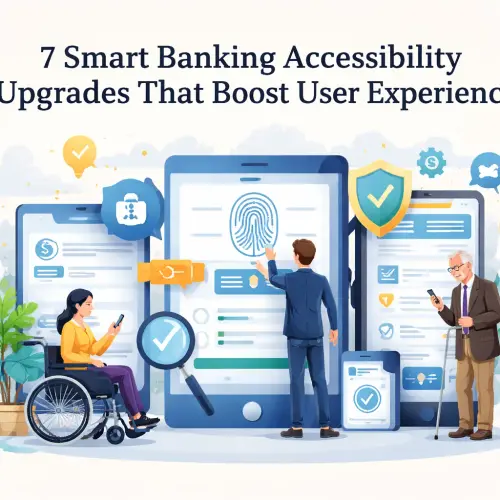
Why Banking Accessibility User Experience Matters Now More Than Ever
Digital banking has become the primary way millions manage money—from checking balances to applying for loans. Yet many platforms still create friction for users with visual, hearing, motor, or cognitive disabilities. The user experience in banking suffers when essential features require perfect vision, fine motor control, or high literacy levels. For a related guide, see 6 Banking Features Users Prioritize Before Depositing Smartly.
Accessibility isn’t a niche concern. An estimated one in four adults worldwide has some form of disability. Additionally, older adults often experience age-related changes in vision, hearing, and dexterity. Designing for these groups improves the experience for everyone, including users in bright sunlight or noisy environments.
Beyond ethics, regulations are tightening. Laws like the Americans with Disabilities Act (ADA), the European Accessibility Act, and Web Content Accessibility Guidelines (WCAG) 2.2 set clear standards. Banks that fall behind risk lawsuits, reputational damage, and lost revenue.
Key Accessible Banking Features That Transform Digital Experiences
Implementing the right accessible banking features requires a thoughtful approach. Below are seven upgrades that directly enhance the banking accessibility user experience.
1. Full Screen Reader Compatibility
Screen readers like JAWS, NVDA, and Apple VoiceOver convert on-screen text into speech or braille. To make them work with banking apps, developers must use proper semantic HTML, ARIA labels, and focus indicators. Common pitfalls include unlabeled buttons, missing alt text on icons, and dynamic content that isn’t announced.
A well-implemented screen reader experience lets blind users check balances, transfer funds, and pay bills independently. Banks like Ally and US Bank have published detailed VPATs (Voluntary Product Accessibility Templates) showing their commitment.
2. Simplified Language and Clear Navigation
Financial jargon—like “APR,” “ACH transfer,” or “escrow”—can confuse users with cognitive disabilities or those whose first language isn’t English. User experience in banking improves dramatically when plain language is used consistently. For example, instead of “initiate a funds transfer,” say “send money.”
Pair simplified language with logical navigation: group related tasks, use descriptive headings, and offer a search tool. This helps all users find what they need quickly, reducing call center volume.
3. Voice Banking and Speech Recognition
Voice-controlled banking is an emerging trend that benefits users with motor impairments or low vision. By integrating with smart assistants like Amazon Alexa, Google Assistant, or Apple Siri, banks enable hands-free transactions, balance inquiries, and transaction history reviews. Wells Fargo and Bank of America already offer voice banking features. For a related guide, see Digital Wallet Casino Payments: 5 Smart Benefits Players Must Know.
4. High-Contrast and Scalable Interfaces
Color contrast ratios should meet WCAG AA standards (4.5:1 for normal text). Provide a toggle for dark mode or high-contrast themes. Allow users to increase text size without breaking layouts. Buttons and touch targets should be at least 44×44 pixels to accommodate users with tremors or low dexterity. These changes directly elevate the banking accessibility user experience for everyone.
5. Mobile Banking Adaptations
Mobile apps often add complexity. Accessibility upgrades for mobile include:
- Consistent gesture patterns (e.g., swipe to delete should have an undo option).
- VoiceOver and TalkBack support for all screens.
- Touch ID, Face ID, or fingerprint alternatives for login.
- Offline mode for basic functions like viewing transactions.
Chase and Capital One have improved their mobile apps significantly based on user feedback from the disability community.
6. Video and Multi-Media Inclusivity
Banks increasingly use video for onboarding, tutorials, and marketing. All videos must include captions (for deaf or hard-of-hearing users) and transcripts (for those with cognitive disabilities or poor internet). Audio descriptions should narrate on-screen actions for blind viewers.
7. Cognitive Load Reduction
Reduce distractions by offering a minimalistic, task-focused interface. Remove pop-ups, auto-playing videos, and cluttered dashboards. Provide clear error messages that explain what went wrong and how to fix it. A calm, predictable interface benefits users with ADHD, anxiety, or dyslexia—and reduces fatigue for everyone.
Comparing User Experience in Banking Improvements
| Upgrade | Primary User Benefit | Implementation Complexity | Regulatory Impact |
|---|---|---|---|
| Screen reader compatibility | Equal access for blind users | Medium | High (WCAG) |
| Simplified language | Reduced confusion, faster task completion | Low | Medium |
| Voice banking | Hands-free, eyes-free operation | High | Low |
| High-contrast + scalable UI | Better readability for low vision | Low | Medium |
| Mobile adaptations | Seamless experience on phones | Medium | Medium |
| Video accessibility | Inclusive learning materials | Low | High |
| Cognitive load reduction | Reduced stress, fewer errors | Low | Low |
Challenges Banks Face When Improving Banking Accessibility
Despite clear benefits, banks struggle with several obstacles:
- Legacy systems: Core banking platforms often lack API endpoints needed for modern accessibility features.
- Testing gaps: Many banks rely on automated tools but miss real-user testing with people who have disabilities.
- Cost concerns: accessibility upgrades are sometimes viewed as expensive, yet the ROI in terms of reduced support tickets and increased customer lifetime value is substantial.
- Lack of expertise: finding developers skilled in WCAG and accessible design is challenging.
Overcoming these requires executive buy-in, a dedicated accessibility team, and iterative improvement rather than a one-time fix.
Future Trends in Accessible Banking Features
The next wave of accessible banking features will be shaped by technology and regulation. Look for:
- AI-powered personalization that adapts interfaces based on user habits and needs in real time.
- Biometric authentication alternatives such as palm scanning or ear ID for users with missing limbs or limited mobility.
- Augmented reality (AR) for visually guided ATM navigation and in-branch wayfinding.
- Environmental controls that let users adjust font size, color, and contrast with a single gesture.
- Global accessibility standards convergence making it easier for multinational banks to adopt one set of rules.
Banks that invest early in these trends will lead the market in user experience in banking.
Useful Resources
Explore more about accessible design and regulations:
- W3C Web Content Accessibility Guidelines (WCAG) 2.2 — the official standard for digital accessibility.
- The A11Y Project — a community-driven effort to make accessibility easier to understand and implement.
Banking accessibility user experience is not a one-time checkbox. It is an ongoing commitment that requires collaboration across design, development, and leadership. By implementing the seven upgrades discussed here, financial institutions can build trust, reduce friction, and serve every customer with dignity and ease.
Frequently Asked Questions About banking accessibility user experience
What is banking accessibility ?
Banking accessibility means designing digital and physical banking services so that people with disabilities can use them independently. It covers website, mobile app, ATM, and branch environments.
Why is user experience in banking important for accessibility?
A poor user experience in banking can lock out customers with disabilities, leading to frustration, errors, and abandonment. Accessible UX ensures everyone can complete transactions safely and quickly.
What are the most important accessible banking features ?
Top features include screen reader compatibility, clear navigation, high contrast, voice control, simplified language, large touch targets, and captioned videos.
How does screen reader compatibility improve banking accessibility ?
Screen readers convert visual information into speech or braille. When banking interfaces are properly coded with ARIA labels and semantic HTML, blind users can navigate independently.
Do mobile banking apps need to be accessible?
Yes. Mobile apps must support TalkBack (Android) and VoiceOver (iOS), provide sufficient contrast, and offer gesture alternatives. Many users rely exclusively on mobile banking.
What is WCAG and why does it matter for banking?
WCAG stands for Web Content Accessibility Guidelines. Banks must comply with WCAG to meet legal requirements and to ensure their digital services are usable by people with disabilities.
Can voice banking replace touch screens?
Voice banking is a powerful complement, not a full replacement. It helps users with motor or vision impairments perform tasks hands-free, but it works best alongside other input methods.
How does simplified language help older adults?
Older adults may have reduced cognitive processing speed or vision changes. Clear, jargon-free text reduces confusion and helps them complete banking tasks confidently.
What is the cost of implementing accessible banking features ?
Costs vary. Simple changes like improving contrast or adding alt text are low-cost, while re-architecting an entire app may be more expensive. However, the return includes reduced support calls and higher retention.
What is cognitive load in banking UX?
Cognitive load refers to the mental effort required to use an interface. In banking, reducing clutter, providing clear error messages, and using consistent navigation lowers cognitive load.
How do banks test for accessibility?
Testing includes automated tools (like WAVE or axe), manual keyboard testing, and user testing with people who have disabilities. User testing reveals real-world friction that automated tools miss.
What is the difference between accessibility and usability in banking?
Accessibility ensures people with disabilities can access the service; usability ensures all users can achieve their goals efficiently. Both are essential for great banking accessibility user experience.
Are there laws requiring banking accessibility ?
Yes. In the U.S., the ADA and Section 508 apply. The European Accessibility Act requires financial services to be accessible. Many countries have their own regulations.
How can small banks improve accessibility on a budget?
Small banks can start with free tools like the WAVE browser extension, add alt text to images, simplify language, and test with a few volunteer users with disabilities.
What is an example of a bank doing accessibility well?
Bank of America has committed to voice banking through Erica, provides a high-contrast option, and publishes a detailed accessibility statement with ongoing improvements.
Does banking accessibility help only people with disabilities?
No. Improved contrast helps people in bright sunlight, captions aid those in noisy settings, and clear navigation benefits users under stress. Accessibility upgrades improve UX for everyone.
What is the future of accessible banking?
Future trends include AI-driven personalization, biometric alternatives like palm scanning, and AR wayfinding. Banks that invest in these will stay ahead in user experience in banking.
How do I provide feedback about banking accessibility issues?
Most banks have an accessibility feedback form or email. You can also contact customer support and request to speak with their accessibility team. Third parties like the A11Y Project offer reporting templates.
Can banking accessibility features reduce fraud?
Indirectly yes. Clear transaction descriptions, easy-to-read alerts, and multi-modal authentication reduce confusion and help all users spot suspicious activity faster.
What is a VPAT and why do banks use it?
A Voluntary Product Accessibility Template (VPAT) is a document that describes how a product conforms to accessibility standards. Banks use VPATs when purchasing software or demonstrating compliance.








